

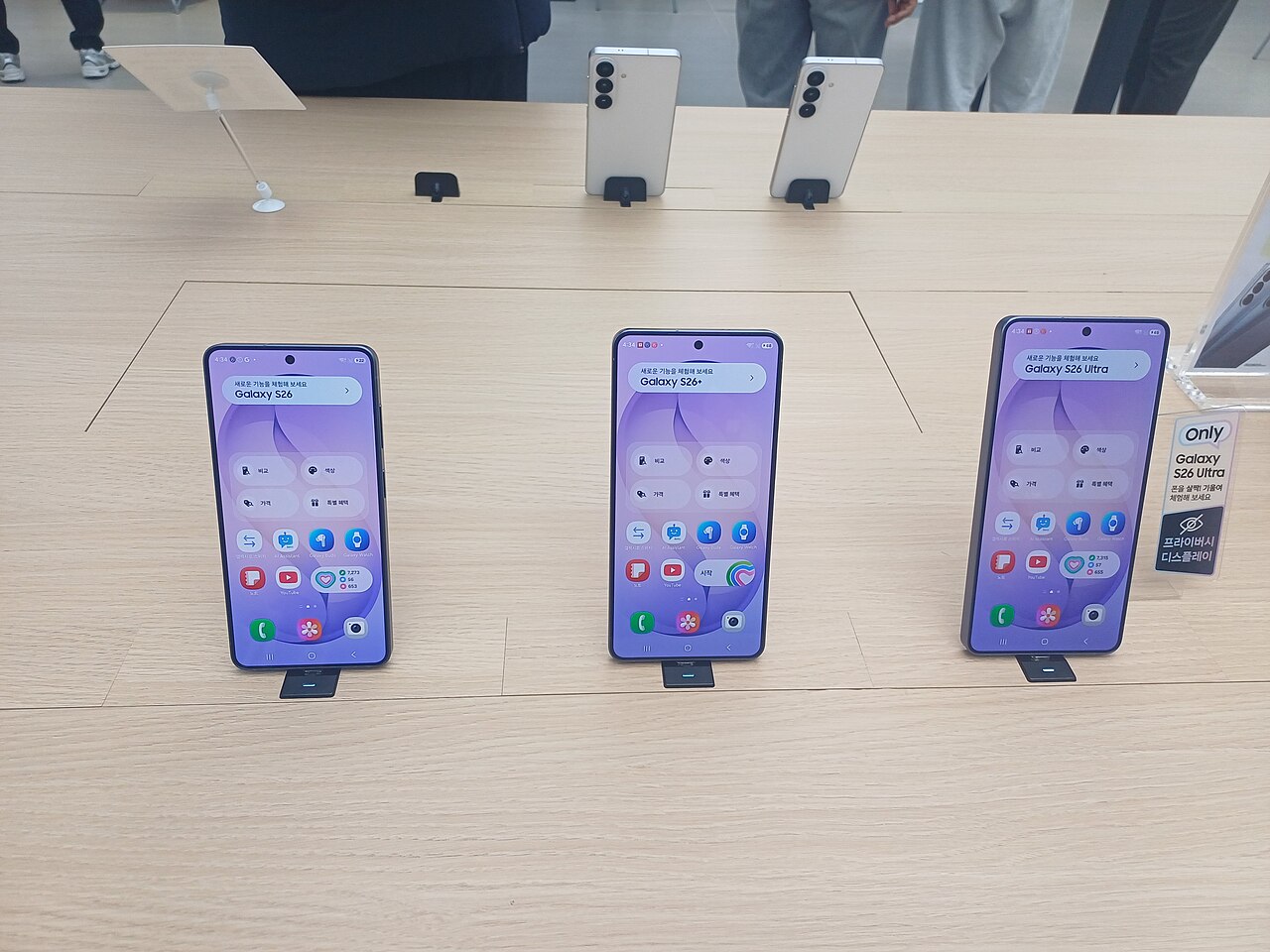
The One UI 9 rollout has officially begun for the Galaxy S26 series, bringing a host of new features and improvements. Samsung aims to enhance user experience with this latest update.
What is One UI 9?
One UI 9 is the latest iteration of Samsung’s custom Android interface, designed to enhance user experience across its Galaxy devices. This update brings a variety of new features and improvements, aimed at making everyday tasks more intuitive and efficient.
With the One UI 9 rollout, users can expect several notable enhancements, including:
- Improved Performance: Optimizations that ensure smoother navigation and app performance.
- Enhanced Customization: New themes, widgets, and icon styles that allow users to personalize their devices.
- Advanced Privacy Features: Enhanced controls and settings that give users more transparency over their data.
- Revamped Camera Interface: User-friendly updates that simplify taking and editing photos.
- Improved Multitasking: New features that make it easier to run multiple apps simultaneously.
This update not only aims to improve the visual appeal of devices but also focuses on underlying performance and functionality. The One UI 9 rollout represents Samsung’s commitment to keeping its devices up-to-date with the latest technology and user preferences, ensuring that users have access to a modern and efficient smartphone experience.
Key Features of One UI 9
The much-anticipated One UI 9 rollout brings a host of exciting features designed to enhance user experience on the Galaxy S26 series. Samsung has focused on refining the interface while maintaining the intuitive design that users have come to love.
- Revamped User Interface: One UI 9 introduces a cleaner and more modern aesthetic, with smoother transitions and an updated color palette that makes navigating through apps a breeze.
- Improved Performance: The new update optimizes performance, ensuring apps load faster and multitasking is more efficient, even when handling demanding tasks.
- Enhanced Customization: Users can now personalize their home screens with new widgets and themes, allowing for a more tailored experience according to individual preferences.
- Advanced Privacy Controls: One UI 9 emphasizes user privacy, offering enhanced permissions settings that give users greater control over their data and app access.
- AI-Powered Features: The update includes smart features powered by AI, improving predictive text and app suggestions based on user behavior, making everyday tasks simpler.
With these features, the One UI 9 rollout aims to elevate the user experience for Galaxy S26 owners, ensuring that they receive not just an update, but a substantial enhancement to their devices.
How to Update Your Galaxy S26
Updating your Galaxy S26 to the latest One UI 9 is a straightforward process. Follow these steps to ensure you receive the update smoothly.
First, ensure that your device is connected to a stable Wi-Fi network. This is crucial as the update can be large, and downloading over mobile data may incur additional charges.
Next, follow these steps:
- Open the Settings app on your Galaxy S26.
- Scroll down and select Software update.
- Tap on Download and install.
- Your device will check for available updates. If One UI 9 is available, it will prompt you to download it.
- Once the download is complete, tap on Install to begin the installation process.
During the installation, your phone may restart several times. This is normal and part of the update process. Once completed, your Galaxy S26 will be running the new One UI 9, bringing all its enhanced features and improvements.
If you do not see the update, it may be rolling out in phases. Check back later or ensure your device is not restricted by any network settings.
User Reactions to One UI 9
The rollout of One UI 9 for the Galaxy S26 has sparked a variety of reactions from users around the globe. Many have taken to social media platforms to share their experiences, highlighting both positive feedback and areas for improvement.
Early adopters have praised the update for its sleek design and enhanced functionality. Some users noted:
- Improved Performance: Many reported a noticeable increase in speed and responsiveness when navigating through apps.
- Customization Options: The expanded personalization features have been a hit, allowing users to tailor their devices to suit their individual preferences.
- Camera Enhancements: Photography enthusiasts have particularly appreciated the advancements in camera software, resulting in better image quality.
However, not all feedback has been universally positive. Some users expressed concerns regarding:
- Battery Life: A few reports indicated that battery performance has degraded for certain users after the update.
- App Compatibility: There have been isolated incidents of popular applications crashing, prompting calls for immediate patches.
Overall, the One UI 9 rollout seems to be well-received, with many looking forward to future updates that address existing issues while continuing to refine the user experience.
Comparing One UI 9 with Previous Versions
The recent One UI 9 rollout has sparked interest among users, especially when compared to its predecessors. Samsung’s update strategy has consistently evolved, and One UI 9 is no exception. Here are some notable differences between One UI 9 and earlier versions:
- User Interface Enhancements: One UI 9 introduces a more refined and intuitive interface, making navigation easier compared to One UI 8. Users will notice smoother transitions and improved accessibility features.
- Performance Optimization: This version boasts better performance metrics, with faster app loading times and reduced lag, enhancing the overall experience on the Galaxy S26.
- Customization Options: One UI 9 expands on the personalization features available in earlier versions, allowing users to tailor their devices to their liking with more themes and icon options.
- Privacy and Security: Enhancements in privacy settings are a significant focus in One UI 9. Users have more control over their data, improving security when compared to One UI 8.
- New Features: One UI 9 also adds unique functionalities that were absent in previous iterations, elevating the user experience to new heights.
Overall, the One UI 9 rollout signifies a significant step forward in Samsung’s commitment to providing a seamless and enriched experience for Galaxy S26 users.
Potential Issues with the Update
As the One UI 9 rollout continues for the Galaxy S26 series, users have reported several potential issues that may arise during the update process. While many have experienced smooth transitions, a few common concerns have been noted.
- Battery Drain: Some users have indicated that their devices exhibit increased battery consumption following the update. This may be due to background processes that need to stabilize after installation.
- App Compatibility: Certain applications may not function optimally with One UI 9, particularly those that have not been updated to align with the new interface. Users are advised to check for app updates regularly.
- Performance Glitches: Reports of lagging and unresponsive interfaces have surfaced, especially during multitasking. Samsung typically addresses these issues in subsequent patches.
- Connectivity Problems: Issues with Wi-Fi and Bluetooth connections have been noted, impacting users’ ability to connect to devices or networks.
Samsung is aware of these concerns and is actively working on solutions. Users experiencing significant difficulties are encouraged to reach out to Samsung support for assistance. As the One UI 9 rollout progresses, it is hoped that updates will resolve these early-stage issues, ensuring a smoother experience for all Galaxy S26 owners.
Future Updates for Galaxy S26
As Samsung continues to enhance its software offerings, users of the Galaxy S26 can look forward to future updates following the initial One UI 9 rollout. These updates are crucial in ensuring the device remains competitive and user-friendly in an ever-evolving tech landscape.
Samsung has a track record of providing timely software updates, and the Galaxy S26 is no exception. Users can anticipate several enhancements and new features in subsequent updates, including:
- Performance Improvements: Samsung is likely to focus on optimizing the device’s performance, ensuring smoother multitasking and app launches.
- Security Patches: Regular security updates will be rolled out to protect user data and maintain device integrity.
- New Features: Future updates may introduce additional features based on user feedback, ensuring a more tailored experience.
- Bug Fixes: Ongoing updates will address any issues that arise post-launch, refining the overall software experience.
In addition to these updates, Samsung may also implement enhancements that align with the upcoming trends in mobile technology, ensuring that the Galaxy S26 remains relevant. Overall, the One UI 9 rollout is just the beginning of what users can expect from their devices, as Samsung is committed to providing a continually improving software experience.
Conclusion on One UI 9 Rollout
In conclusion, the One UI 9 rollout marks a significant milestone for Samsung and its Galaxy S26 users. This update not only introduces a variety of new features, enhancing the overall user experience, but also demonstrates Samsung’s commitment to providing timely software upgrades. As we have explored, One UI 9 brings a polished interface, refined performance, and innovative additions that cater to the needs of modern smartphone users.
The transition from previous versions of One UI is evident, as many users have reported smoother navigation and improved functionality. However, as with any major update, there are potential issues that some users may encounter. It is essential for users to stay informed and follow best practices when updating their devices. Samsung’s proactive approach to addressing user feedback will likely help mitigate any concerns that arise during this rollout.
Looking ahead, the future updates for the Galaxy S26 series promise to further enhance the experience that One UI 9 has initiated. Users can expect ongoing support and improvements that will keep their devices up-to-date with the latest technology trends. Overall, the One UI 9 rollout is a testament to Samsung’s dedication to its customers and their satisfaction with the Galaxy S26 series.
The One UI 9 rollout is expected to enhance user experience with its refined interface and improved performance. Many Galaxy S26 users are eagerly awaiting the One UI 9 rollout to experience these exciting new features firsthand.
via Wikimedia Commons
Sources
Related stories
- Redmi Note 17 Pro Max 5G: The Best Phone Review and Specs
- US Venture Capital Funding: Best Insights from August 2026
- Meta One Subscription: The Best AI Features Explained